A canvas, not a track maze
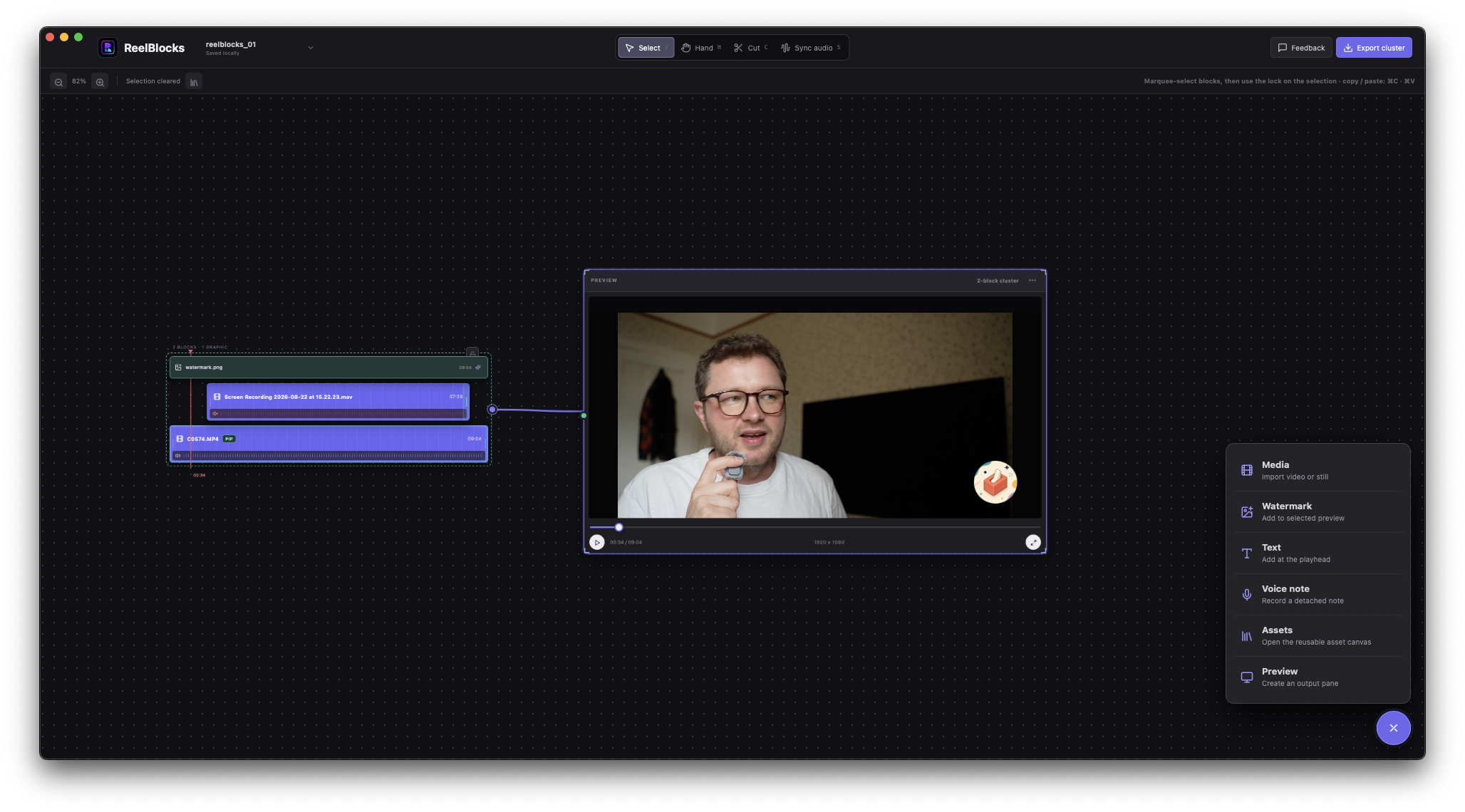
Drop in video or stills, then trim, split, reorder, copy and paste in magnetic clusters that stay together without timeline gaps.
The fastest editor for people assembling short-form, talking-head and product demo content. Build on a freeform canvas with reusable blocks, without fighting a track-heavy timeline.
Current version 0.1.3 · macOS 11 or later
Drop it. Lock it. Ship it.
Drop it. Lock it. Ship it.
Drop in video or stills, then trim, split, reorder, copy and paste in magnetic clusters that stay together without timeline gaps.
Lock footage, overlays and recordings into reusable blocks. Save styled video, image, text and watermark blocks in Assets across every project.
Open resizable preview panes, scrub and play fullscreen, then shape picture-in-picture, text and watermark overlays live.
Synchronize two clips from their audio or record voiceovers over selected footage with background monitoring and mute controls.
Tune timing, position, size, rotation, opacity, radius and padding, then add fade, slide or pop animation.
Export each cluster as H.264 MP4 from 24–60 fps, at selectable resolutions up to 4K, with destination, filename and progress controls.
Drag files in or use the picker. Originals stay untouched and footage stays local.
Shape magnetic clusters, sync sound, layer PiP and overlays, then lock repeatable combinations into reusable blocks.
Scrub in multiple preview panes and export the cluster you need as an H.264 MP4 - up to 4K.
Move quickly from raw clips to short-form posts, polished talking-head videos and clear product demos. Download ReelBlocks for free and edit locally with lightweight tools designed for fast assembly. Your feedback helps shape the paid, one-time-purchase v1, and current users will receive a significant upgrade discount.
Current version 0.1.3 · macOS 11 or later